![zuub logo-3.png]](https://help.zuub.com/hs-fs/hubfs/zuub%20logo-3.png?height=40&name=zuub%20logo-3.png)
Benefits Used & Deductible Met
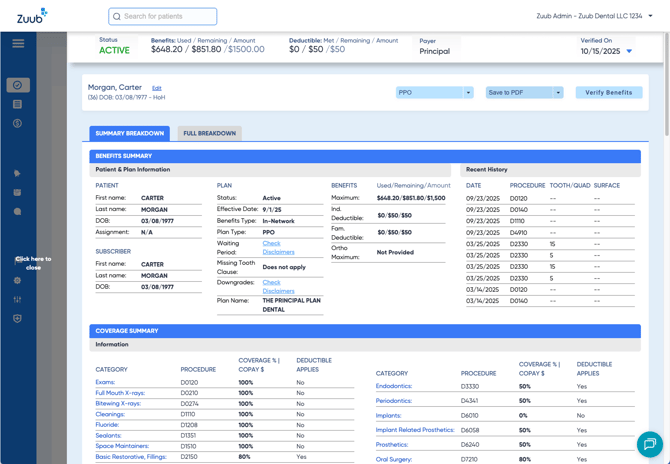
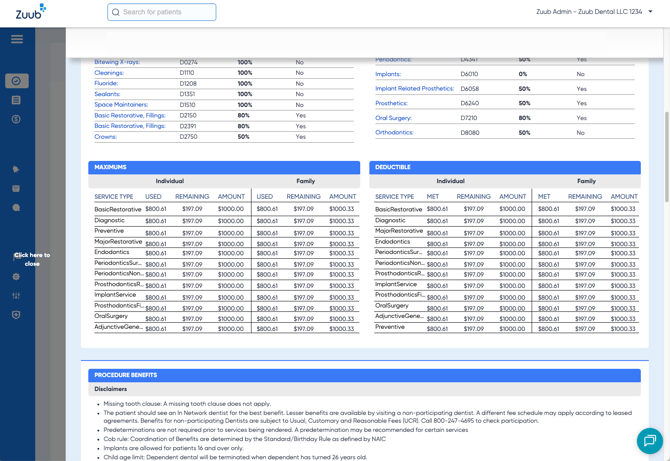
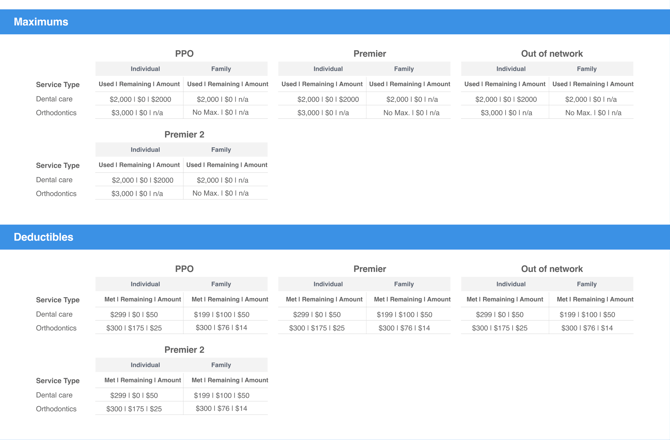
To eliminate the need for math, the Used/Met, Remaining, and Total amounts for Benefits and Deductible are displayed in the header and throughout the breakdown in both the UI and the PDF.
IV Acknowledgement
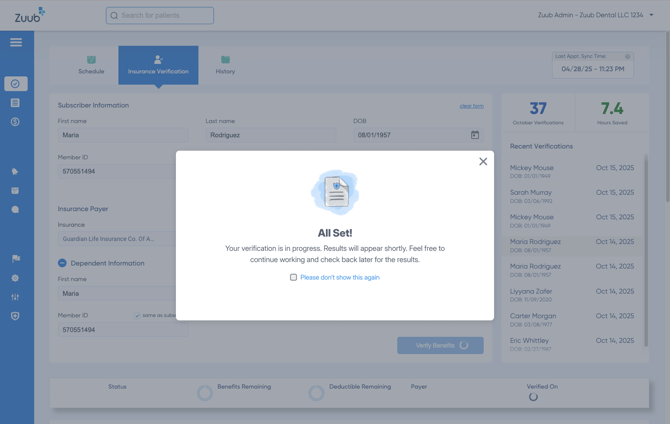
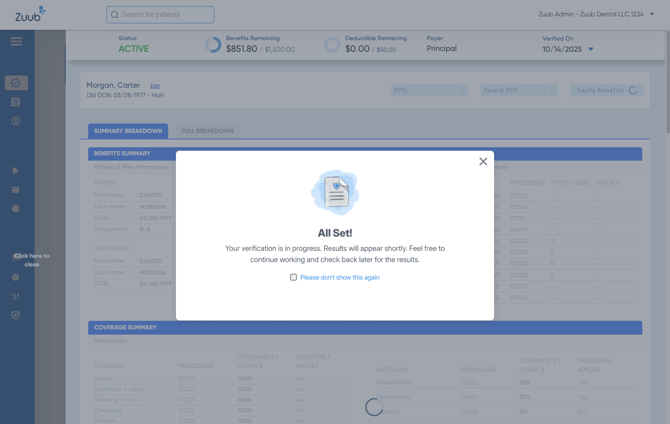
When a user clicks “Verify Benefits” from a breakdown or from the Insurance Verification tab, a modal confirms the verification is in progress, and the user can navigate away from the page. When “Please don’t show this again” is clicked, the modal will not appear the next time the user clicks “Verify Benefits” from that page unless they are logged in on another device.
 IV in Progress
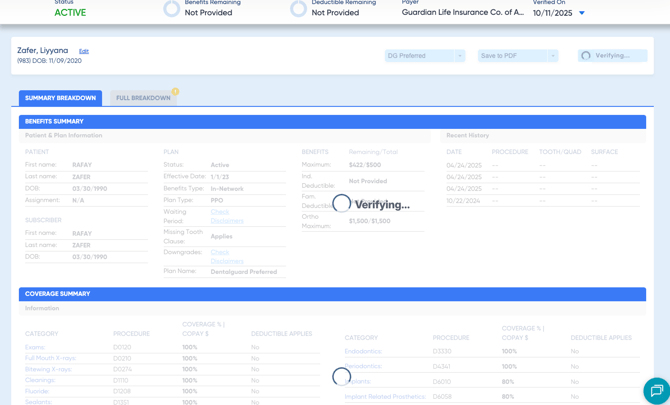
When a user clicks “Verify” or “Verify Benefits” for a patient on the Schedule, breakdown, or Insurance Verification tab, when the breakdown is opened for the patient (via search or from the Schedule), a “Verifying…” animation appears, informing the user that an IV is in progress.
Configure Provider Dropdown
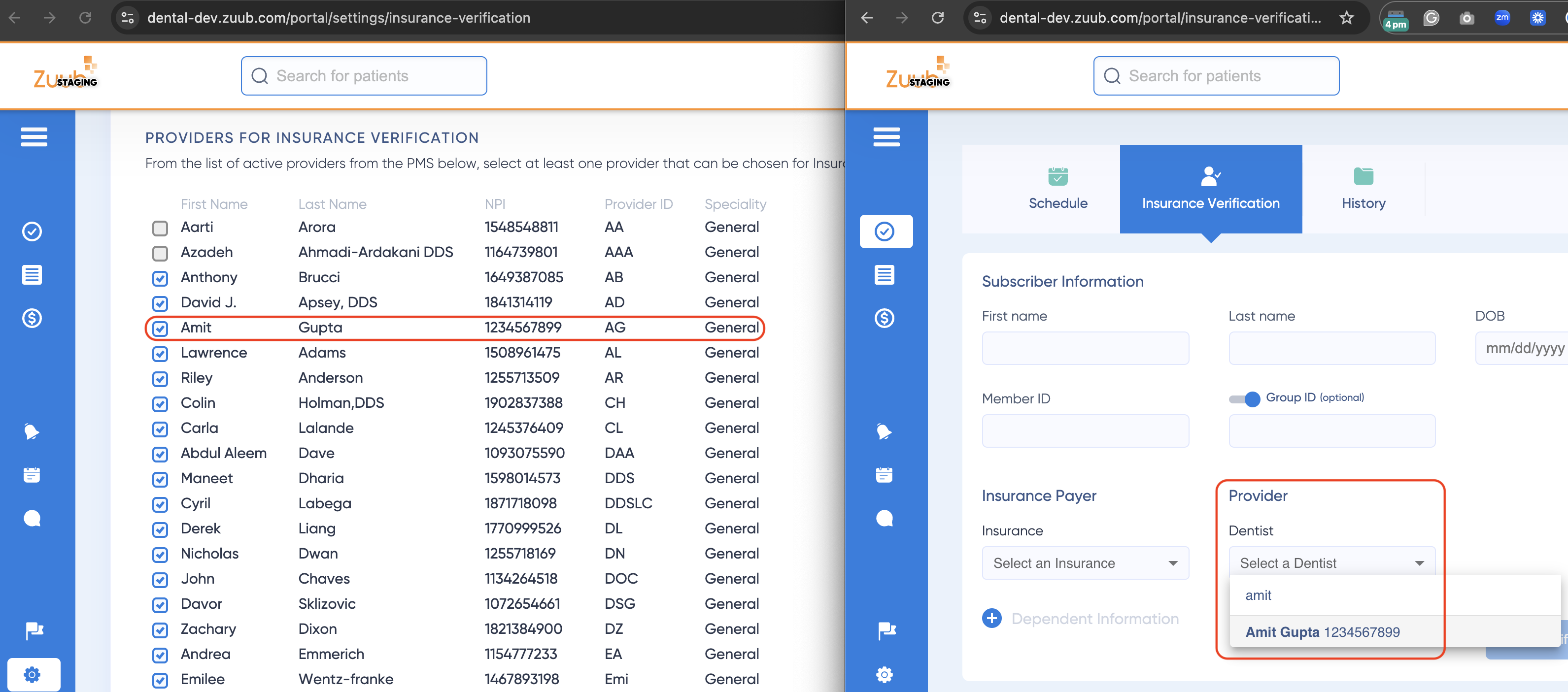
Through IV General Settings, users can configure which Provider(s) are available to select when running an insurance verification in the provider dropdown on the Breakdown and Insurance Verification tab. The settings allow multi-select and list all active providers (name, NPI, provider ID, and specialty).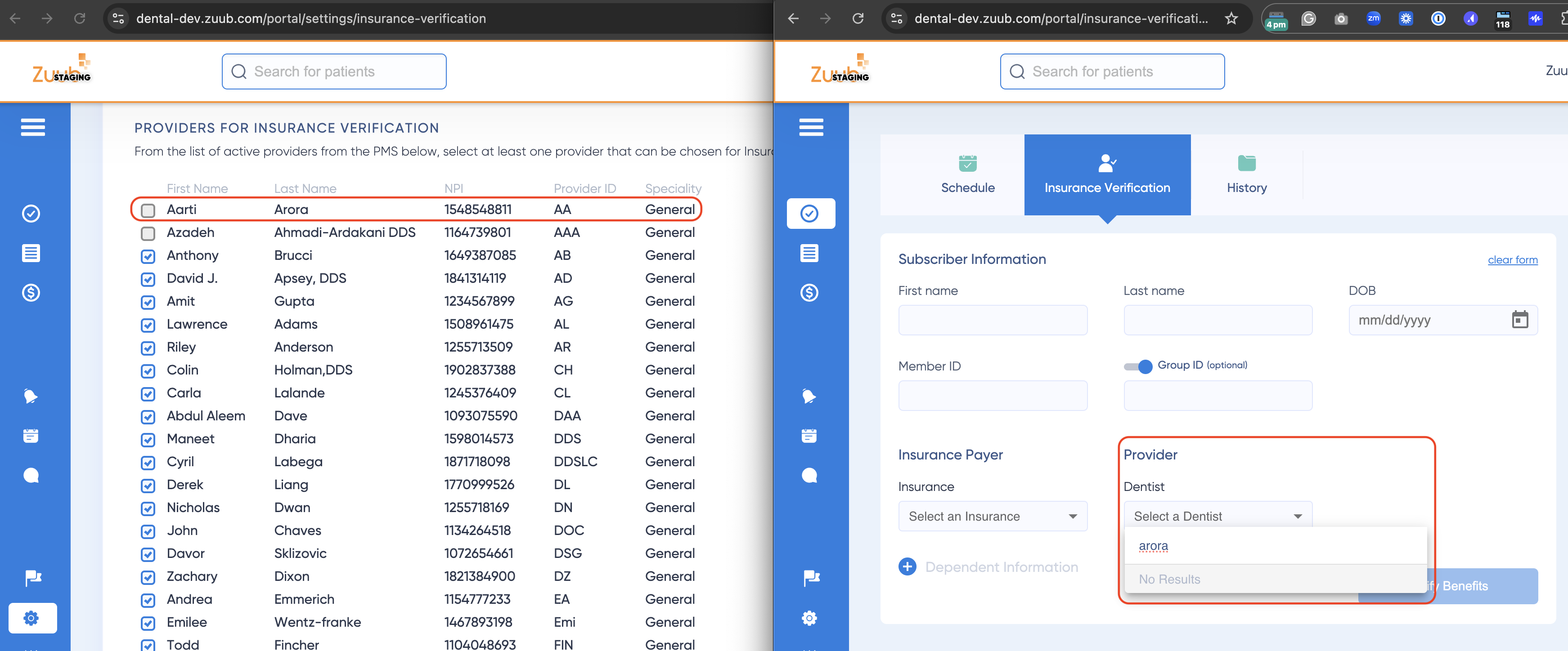
Persist Missing Credentials Error on Schedule
Released 11/6/25. When credentials are missing for a mapped payer, an error message is displayed on the Schedule without having to trigger the verification.