![zuub logo-3.png]](https://help.zuub.com/hs-fs/hubfs/zuub%20logo-3.png?height=40&name=zuub%20logo-3.png)
General Availability: 2/??/25
Automatic Logout after 30 Minutes of Inactivity
After 30 minutes of inactivity, the user is automatically logged out. At 28 minutes, the user is warned of logout with a two-minute timer. Activity is considered keyboard, mouse, and background processing running (e.g., IV initiated via Verify Now).
NOTE: This feature has adjusted session management. A session is a distinct username logged in; it is no longer per browser tab in the same browser window with the same username. Unsaved work is lost.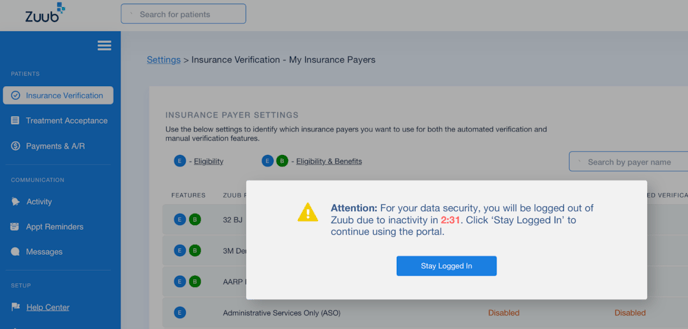
Schedule Error Messaging
The insurance verification schedule clearly displays error messages so the user can understand why an IV failed and take the appropriate action to resolve the issue. Scenarios include common IV errors such as account lock, invalid credentials, expired password, patient inactivity, patient not eligible, patient not found, provider not found, and suppressed patient data.
Network Preference Messaging (IV Breakdown)
When the office’s preferred network is not available for a patient, the best available network is selected, and an information icon ℹ️is displayed next to the network selector on the IV breakdown. On hover, a tooltip provides context about the office’s account settings versus the data available for the patient.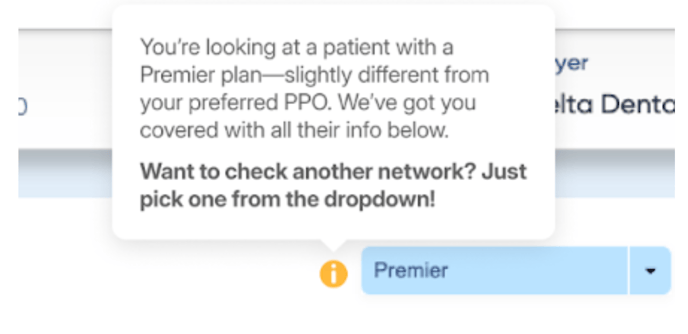
- Cigna
- If office has selected DPPO, then show DPPO; else DPPO Advantage.
- If office has selected DPPO Advantage, then show DPPO Advantage; else DPPO.
- If both DPPO and DPPO Advantage are selected, then DPPO Advantage is prioritized.
- Delta Dental
- If office has selected PPO, then show PPO first; else Premier.
- If office has selected Premier, then show Premier first; else PPO.
- If both PPO and Premier are selected, then Premier is prioritized.
Patient Name in Patient Communications for Treatment Plans and Appointment Reminders
SMS and email notifications for treatment plans and appointment reminders include the patient’s first name and first initial of their last name.
Denti-Cal History Writeback
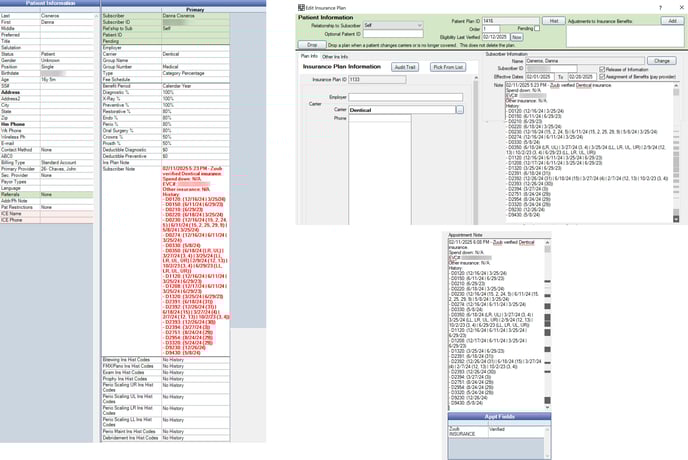
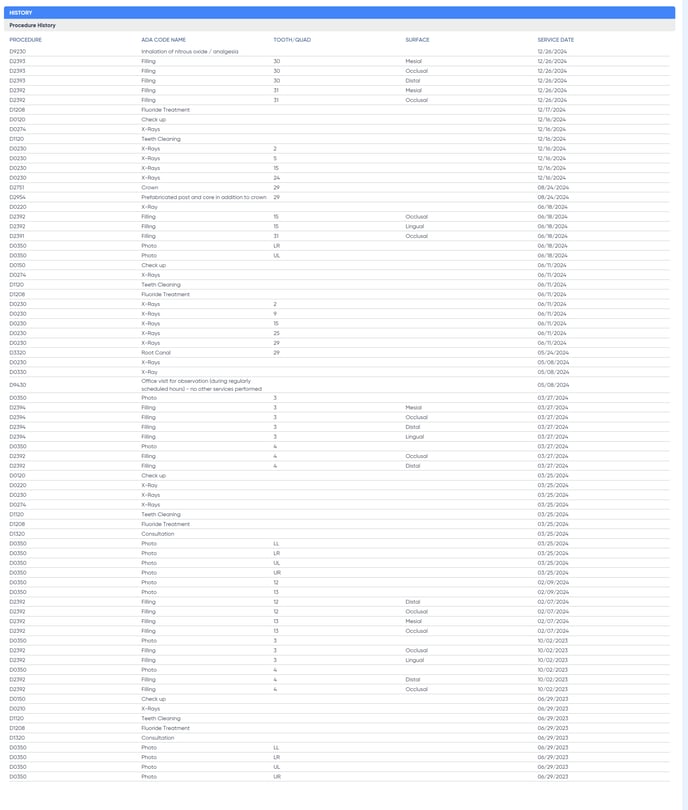
When a Denti-Cal patient has treatment history, it is listed on the insurance verification breakdown in the UI and PDF and written back to the patient’s insurance plan and appointment note in the PMS (Open Dental and Dentrix Enterprise only). If the patient's history is unavailable, “No History” is displayed in Zuub, and “N/A” is written back.
Denti-Cal recently migrated to a new site requiring a new set of credentials, while the history site requires 2FA. Turn on this feature through the following steps:
- If not already on, enable the writeback on the account and include “Patient Notes” (Insurance Verification - General Settings)
- Enable writeback for the payer, Denti-Cal, and include “Patient Notes” (Insurance Verification - My Insurance Payers)