
Adding or Adjusting Aetna Offices: Step-by-Step
- Sign into the Aetna provider portal with the Zuub specific credential.
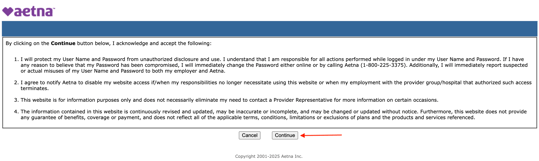
- Click 'Continue' to acknowledge the terms and conditions.
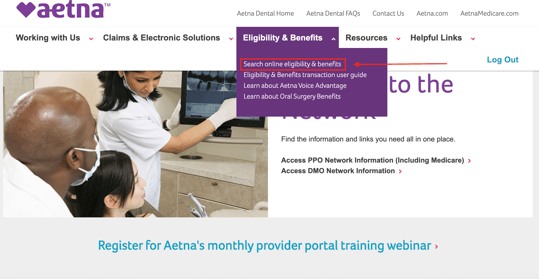
- From the homepage, navigate to the 'Eligibility & Benefits' dropdown menu within the navigation bar.
- Select 'Search online eligibility & benefits'
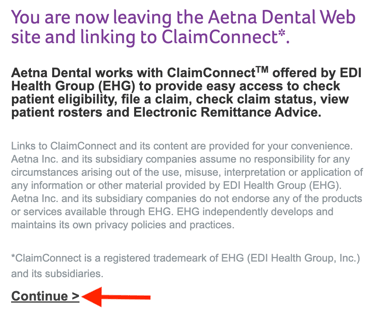
- Click 'Continue."
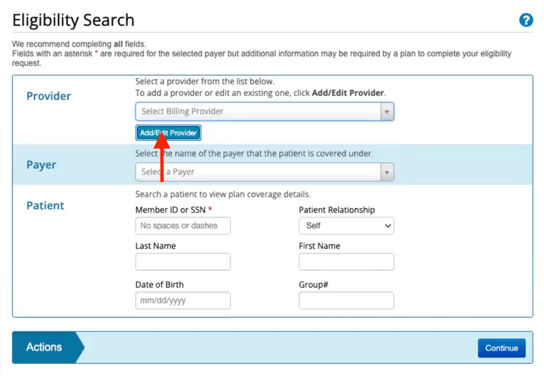
- Under Provider, click 'Add/Edit Provider'
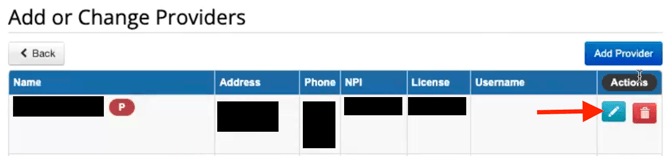
- If adjusting an existing record, find the record, click the edit button next to the button, make the necessary adjustments, and click save.
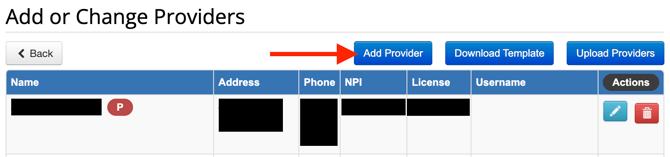
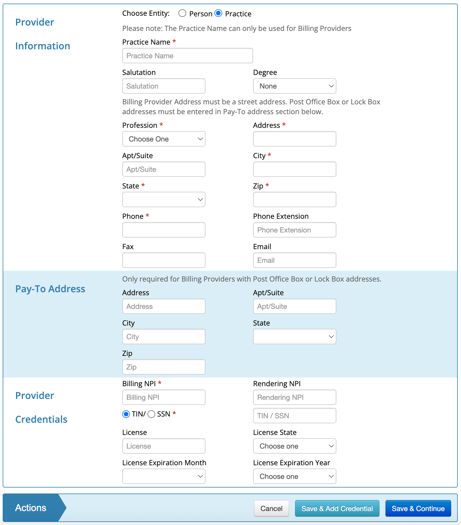
- If adding an office, click 'Add Provider'. Select 'Practice' from the entity section, fill out the required information and click 'Save and Add Credential."
- If adjusting an existing record, find the record, click the edit button next to the button, make the necessary adjustments, and click save.
This resource was updated 11/07/2025.