
Set up BCBS of Alabama 2FA: Step-by-Step
- Navigate to the BCBS of Alabama portal and sign in using the offices credentials.
- Click the 'Users' link in the upper right-hand corner of the screen.
- Click on 'Create User.'
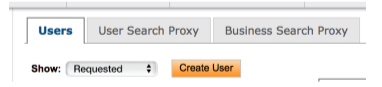
- Follow prompts to enter information:
- Username:
- Password:
- First Name: Insurance
- Last Name: Admin
- Email Address: Zuub generated email address
- Phone Number/Cell Phone: Zuub generated phone number
- User Roles: Practice/Business Administrator
- Hit 'Next' at the bottom of the screen once all the above information is filled out.
- Business Tab: Select the office and then select 'Next.'
- Providers Tab: Choose all the providers in office.
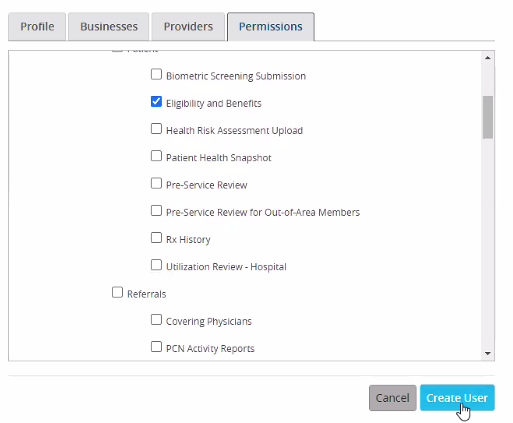
- Permissions - Patient - eligibility and benefits
- Click 'Create User.'
- Sign in using the credentials just created.
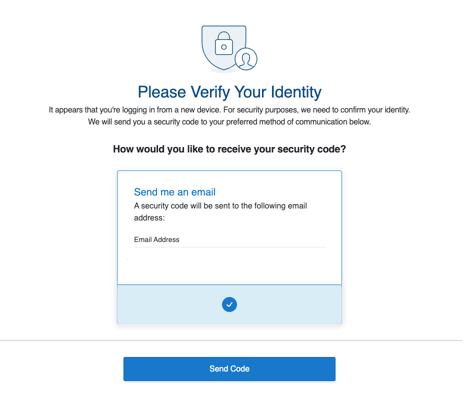
- Select ‘Send Code.’
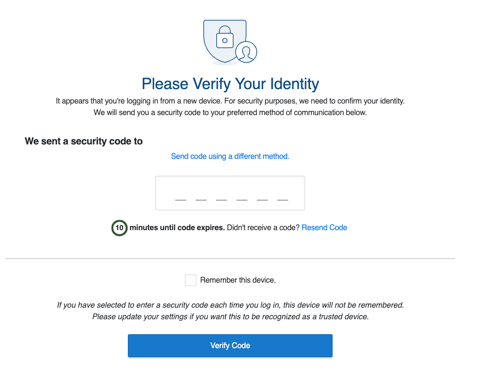
- Retrieve the 2FA email code, enter it, and select ‘Verify Code.’
- Scroll through and accept the terms and conditions.
- Select ‘Update my Profile.’

This resource was updated 11/10/25.