
Pre-Setup Notes
There are two ways to set up Cigna credentials. Instructions are provided for each:
-
Using an Existing Account
-
Note: Only Access Managers can add new users. If there is no option to add users, a new account will need to be registered or Cigna Support will need to be contacted to identify the Access Manager.
-
-
Registering a New Account
Set up Cigna 2FA with an Existing Account: Step-by-Step
- Login into the Cigna portal with the office's credentials.
- Navigate to Working with Cigna → Manage User Access → Add New User.
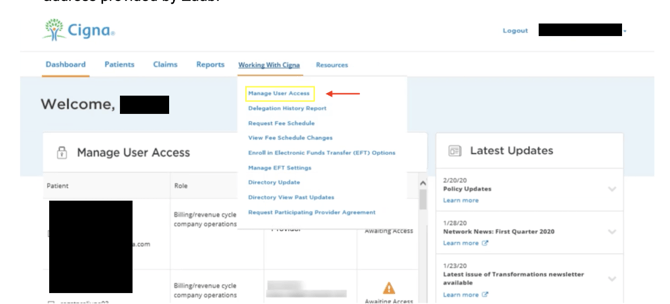
- Add the below information and click 'Assign Access.'
- First name: Insurance
- Last name: Admin
- Job role: Administration support
- Phone number: Office's phone number
- Email address: Zuub generated email address
- Select 'Assign Access by Individual TIN' and click 'Next.'
- Select the below entitlements and click 'Review.'
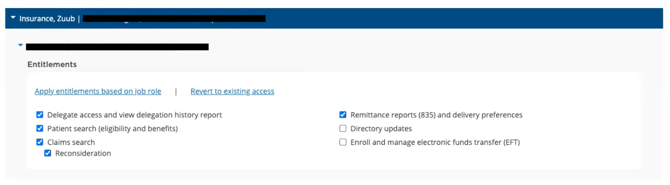
- Click 'Submit.'
- Copy the temporary username and password.
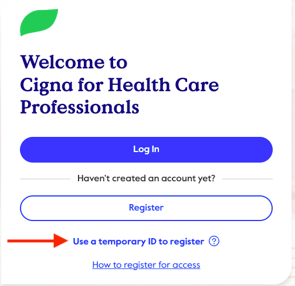
- Navigate back to the Cigna portal and select ‘Use a temporary ID to register.’
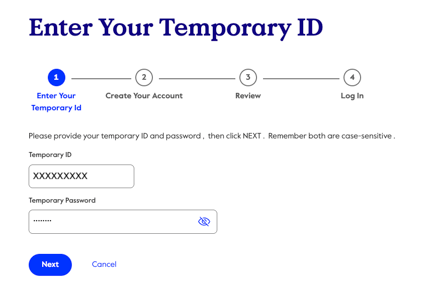
- Input the temporary username and password and select ‘Next.’
- Complete the requested information:
- First Name: Insurance
- Last Name: Admin
- Job Role: Administration Support
- Address: 123 Zuub Street, Zuub, CA, 60515
- Office Phone: Office's phone number
- Mobile Phone: Leave blank
- Email: Zuub generated email address
- User ID:
- Password:
- Confirm Password: Same as above
- Date of Birth: January 01, 1980
- Add security questions and answers
- Click ‘Next’
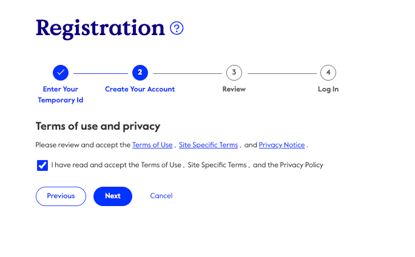
- Agree to the terms of use and privacy and click ‘Next’
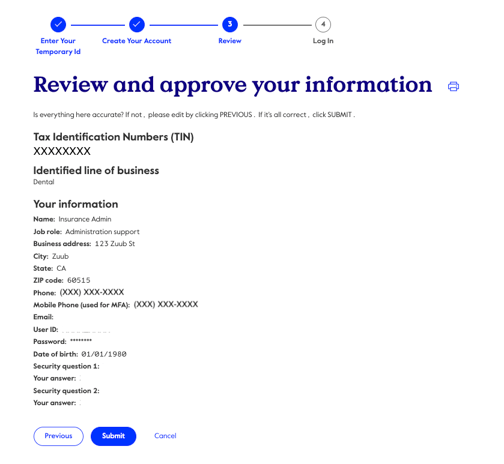
- Review the information and click ‘Submit’
- Navigate back to the Cigna portal and sign in using the credentials just created.
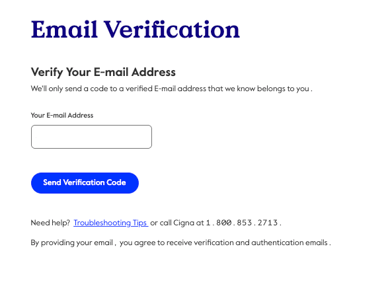
- Click ‘Send Verification Code’
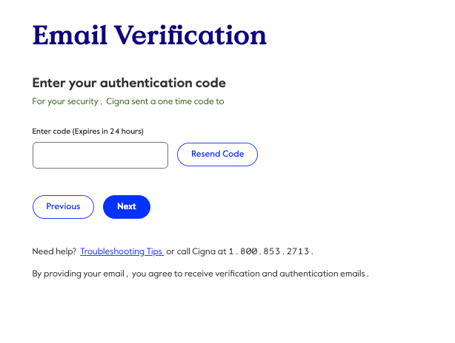
- Retrieve the 2FA code from the email, input it in the code box, and click 'Next.' (Note: Codes expire after 24hr)
- Scroll through and agree to the terms and conditions. Select ‘I have read and agree to the Website Access Manager User Agreement’ and click ‘Accept’
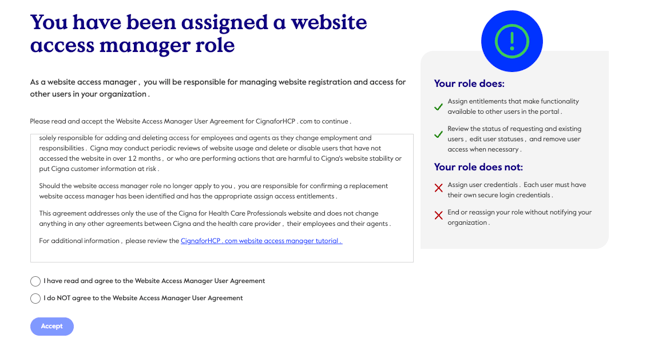
Account creation is complete!
Set up Cigna 2FA by Registering a New Account: Step-by-Step
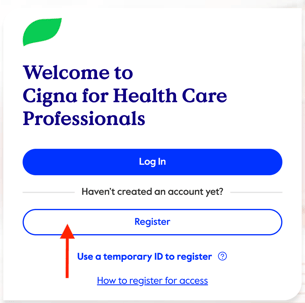
- Navigate to the Cigna portal.
- Click 'Register.'
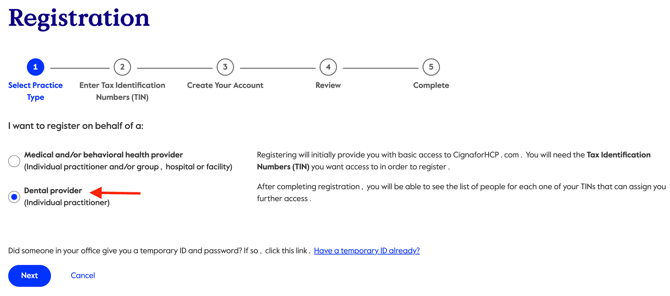
- Select 'Dental Provider' and click 'Next.'
- Add the office's Tax ID and click 'Save.'
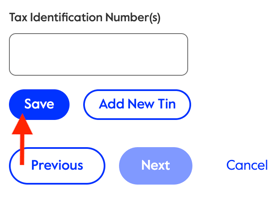
- Click 'Next.'
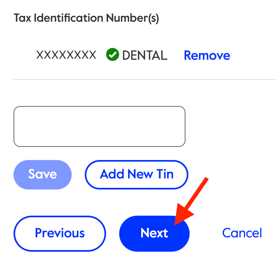
- Add the required information and click 'Next.'
- First Name: Insurance
- Last Name: Admin
- Job Role: Administration Support
- Address: 123 Zuub Street, Zuub, CA, 60515
- Office Phone: Office's phone number
- Mobile Phone: Leave blank
- Email: Zuub generated email address
- User ID:
- Password:
- Confirm Password: Same as above
- Date of Birth: January 01, 1980
- Add security questions and answers
- Agree to the terms of use and privacy and click ‘Next’
- Review the information and click ‘Submit’
- A registration request has been sent to the organization’s website access manager(s) for approval. Once approved, the credential can be utilized to make requests.
This resource was updated 01/21/2026.