
Pre-Setup Notes
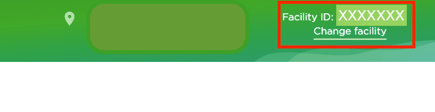
To register for a new account, you will need the office's facility ID, which can be found when signed into the office's account. To find this, follow the below instructions:
- Navigate to the DDIC portal.
- Click 'Login' on the top right-hand side of the navigation.
- Sign in using your existing DeltaCare login credentials. Note: These login credentials will differ from your DDIC ones.
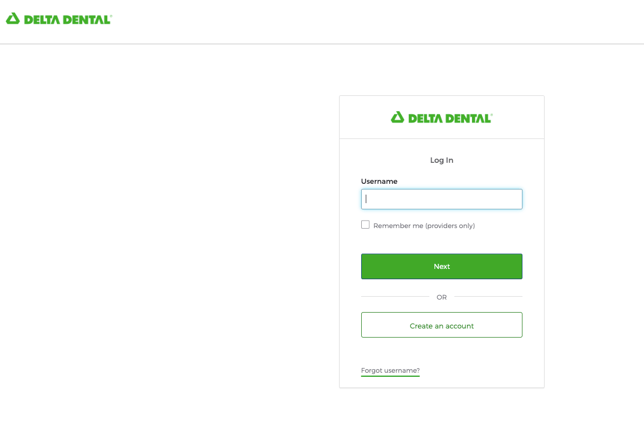
- Ensure you have successfully logged into the DeltaCare portal by referencing the upper-left corner of the homepage once you have signed in. Note: DeltaCare®USA will be labeled clearly in the navigation bar. If you do not see this, you have signed into Delta Dental Insurance Company.

- Note the Facility Name and ID located in the upper-right corner of the page. This info is needed in order to register a new account.
Set up DeltaCare by Registering a New Account: Step-by-Step
-
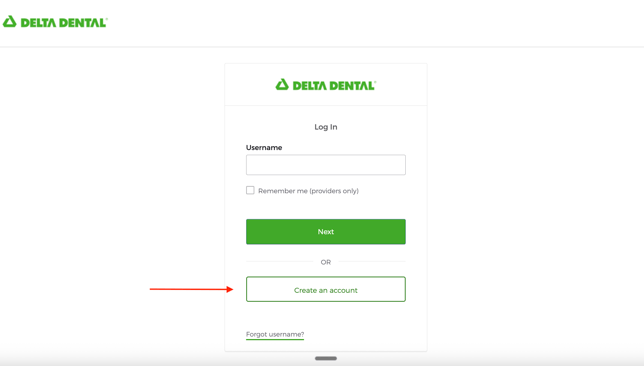
Navigate to the DeltaCare portal. Select' Create an Account'
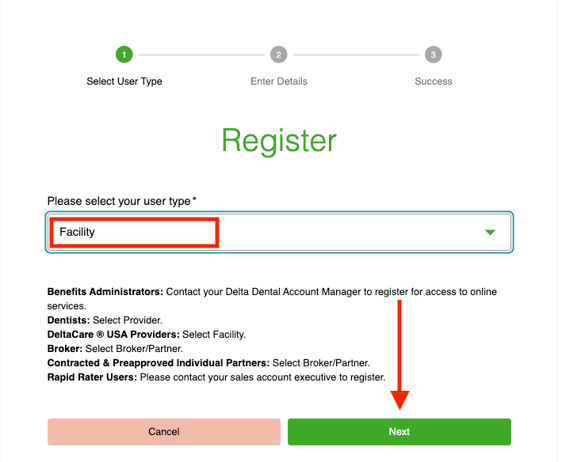
- Within the dropdown, select Facility. Click 'Next'
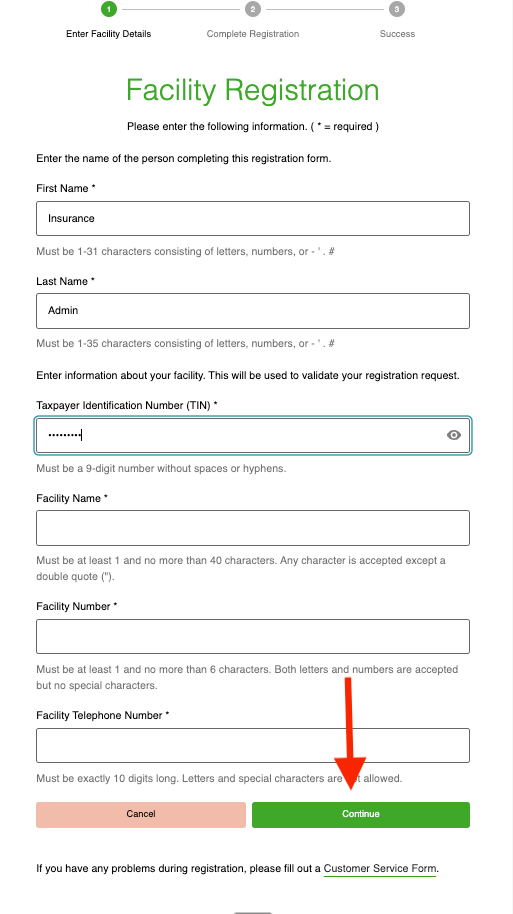
- Input the following information:
- First Name: Insurance
- Last Name: Admin
- Taxpayer Identification Number (TIN):
- Facility Name: Input facility name found in step 5 of pre-setup instructions
- Facility Number: Input facility number found in step 5 of pre-setup instructions
- Facility Telephone Number: Office phone number
- Click 'Continue'
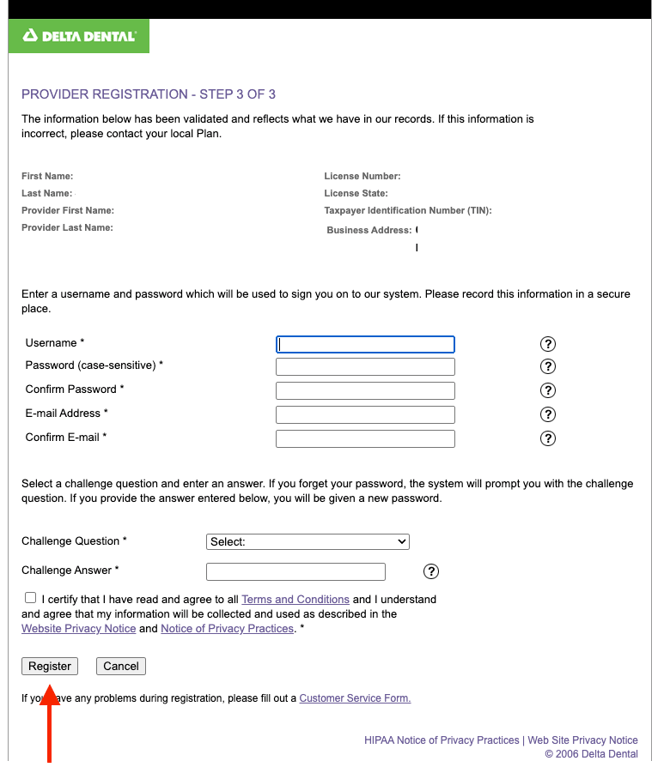
- Complete the following information and click 'Register':
- Username:
- Password:
- Confirm Password:
- E-mail Address: Zuub generated email address
- Confirm E-mail: Zuub generated email address
- Challenge Question:
- Challenge Answer:
- Agree to the Terms and Conditions
- Return to the DeltaCare portal and login using the credentials just created.
- Select ‘Enroll.’
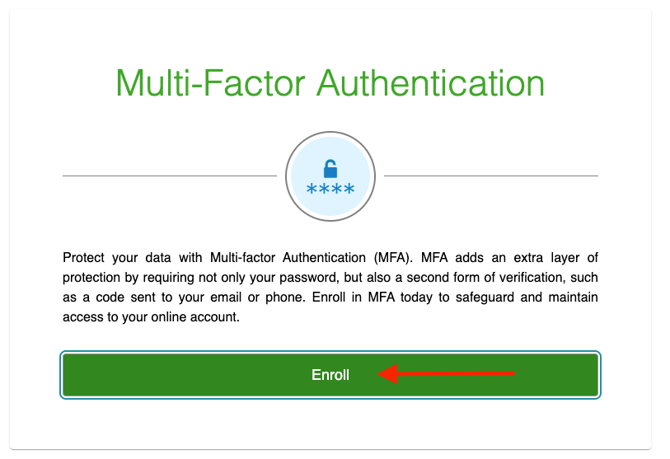
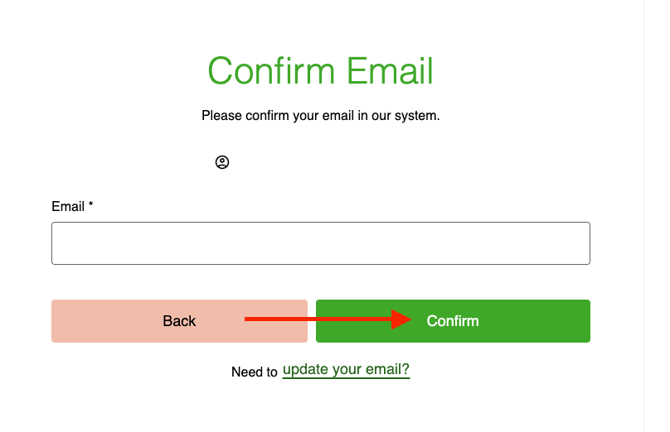
- Re-enter the Zuub generated email address that you used in the account registration process and click ‘Confirm.’
- Click 'Send me an email'
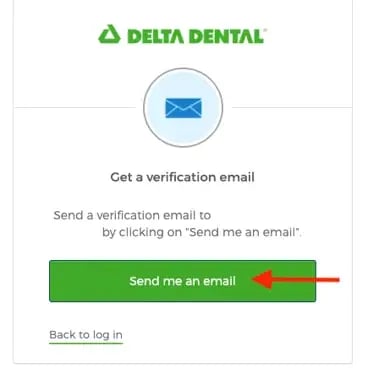
- Navigate to the forwarding email address and retrieve the code. Enter it and click 'Continue.'
- Follow the steps to enroll in SMS 2FA.
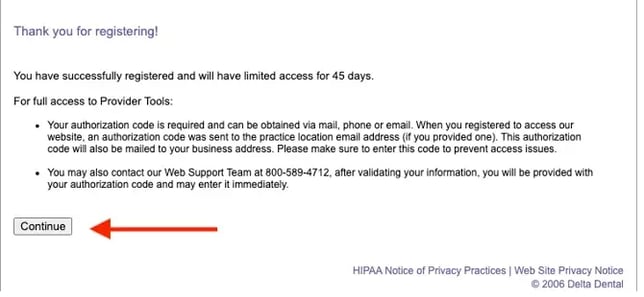
- Enter the Authorization Code’ provided from DeltaCare. This code is typically emailed over to the email address DeltaCare has on file for the office, but may also be sent via mail or phone. Click ‘Submit.’
If the authorization code cannot be found, the office needs to call DeltaCare from their office number to retrieve the code from a support representative.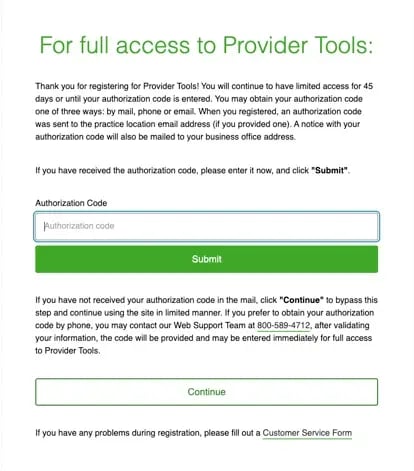
Account creation is complete!
This resource was updated 3/31/2026.