
Pre-Setup Notes
There are two ways to set up Dentaquest/Sunlife credentials. Instructions are provided for each:
-
Using an Existing Account
- Note: Only Admin users can add new users. If there is no option to add users, a new account will need to be registered.
- Registering a New Account
- For this option, you will need the office's Dentaquest Business ID, which can be found on a recent Dentaquest EOB. To find this, follow the below instructions:
- Sign into the Dentaquest Provider portal using the office's credentials.
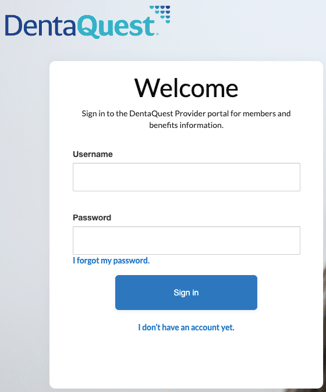
- On the top navigation, click 'Payments.'

- On the EOB Search, click 'Search.'
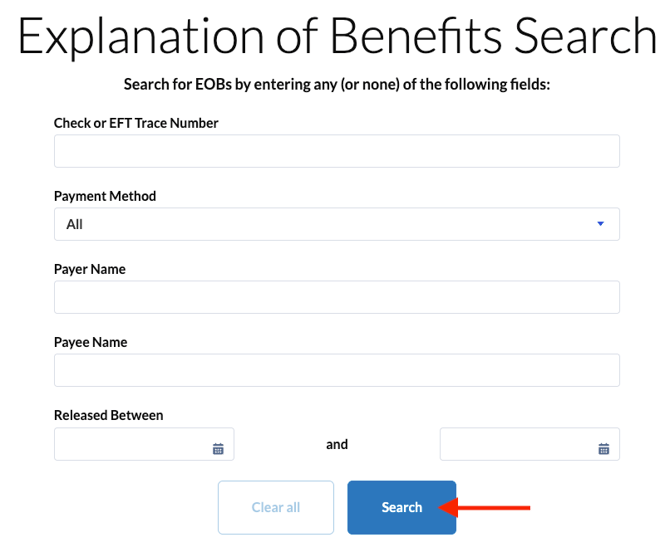
- Click the arrow next to one of the EOBs and select 'Download Original PDF.'

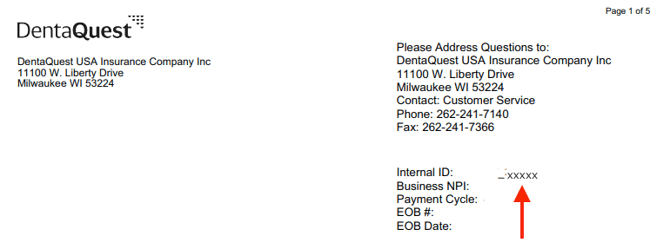
- Open the downloaded file. Navigate to the Internal ID and copy the number after the underscore.
- Sign into the Dentaquest Provider portal using the office's credentials.
- For this option, you will need the office's Dentaquest Business ID, which can be found on a recent Dentaquest EOB. To find this, follow the below instructions:
Set up DentaQuest/Sunlife 2FA Using an Existing Account: Step-by-Step
- Sign into the Dentaquest/Sunlife portal.
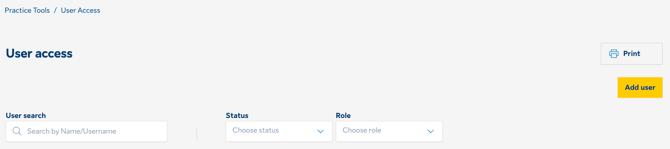
- Navigate to Practice Tools > User Access
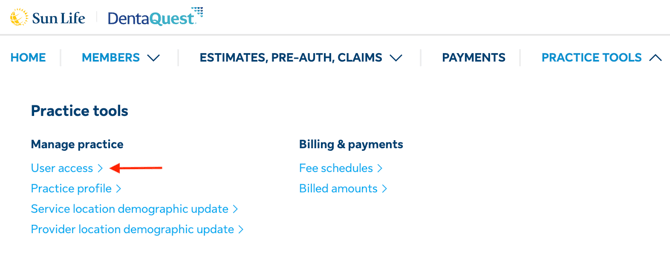
- Click ‘Add User’
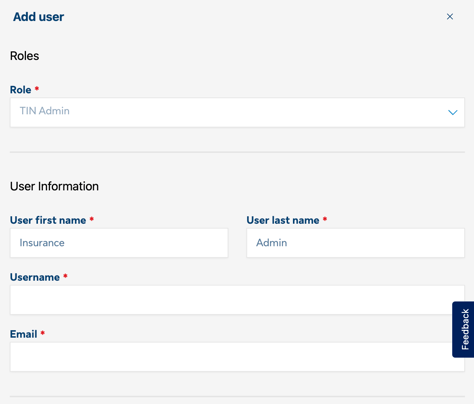
- Input the below information:
- Role - Tin Admin
- User first name - Insurance
- User last name - Admin
- Username -
- Email - Zuub generated email address
- Under 'Estimates, authorizations, claims' select all
- Under Practice tools, select User management
- Under access level, select that the user can see all info for the entire business. All locations and providers
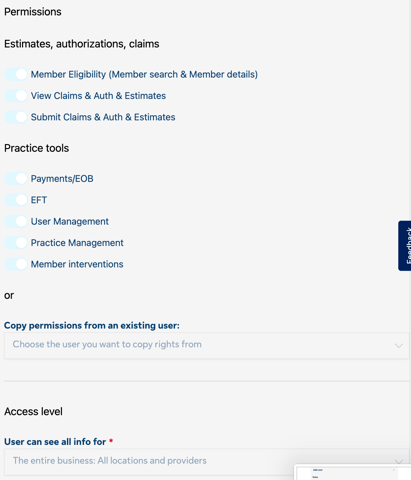
- Click 'Add User' button
- Navigate to the email address and click 'Activate account' (Note: this link expires after 8 hours.)
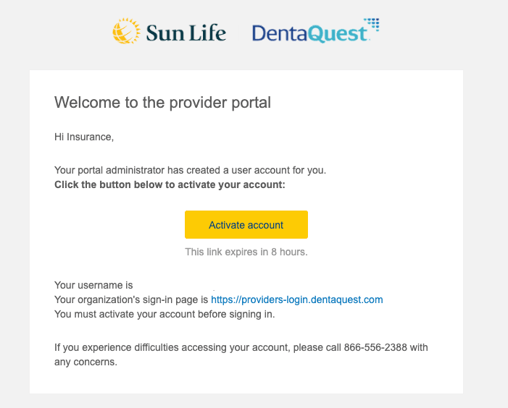
- Input the password and click ‘Submit’
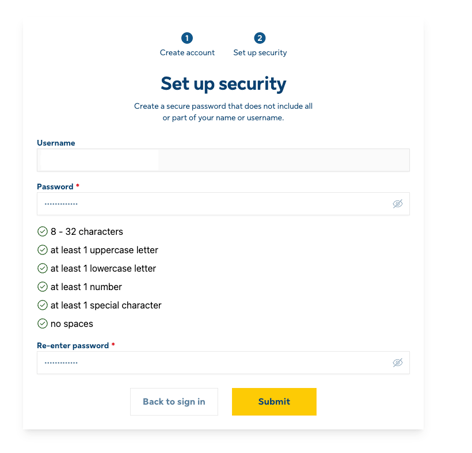
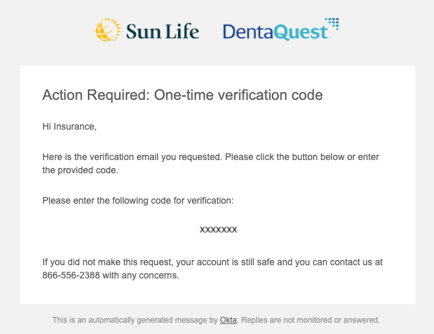
- Navigate to the email address and retrieve the authentication code.
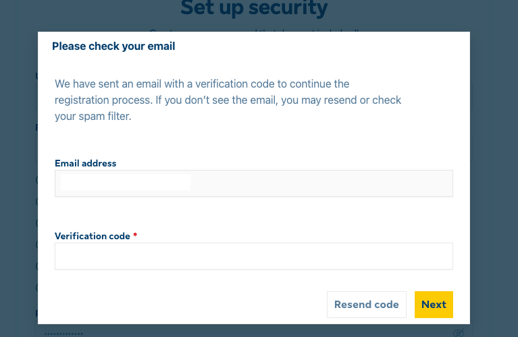
- Enter the code, and click ‘Next.’
Account creation is complete!
Set up DentaQuest/Sunlife by Registering a New Account: Step-by-Step
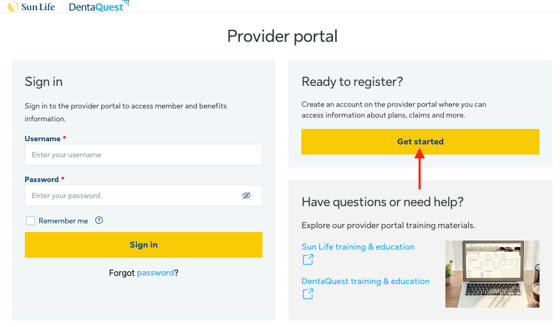
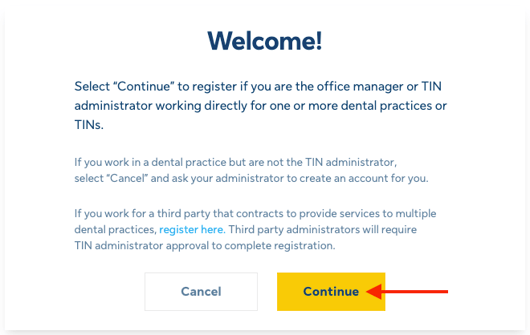
- Navigate to the Dentaquest/Sunlife portal and click 'Get Started.'
- Click 'Continue.'
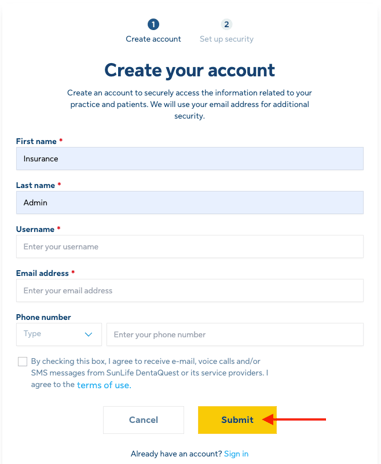
- Fill out the required information and click 'Submit.'
- First name: Insurance
- Last name: Admin
- Username:
- Email address: Zuub generated email address
- Phone number: Select office and put the office's phone number
- Agree to the terms of use
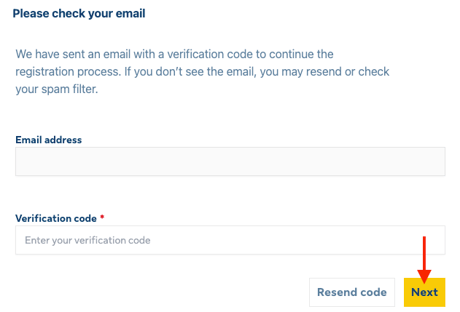
- Navigate to the email address and retrieve the 2FA code.
- Input the verification code and click 'Next.'
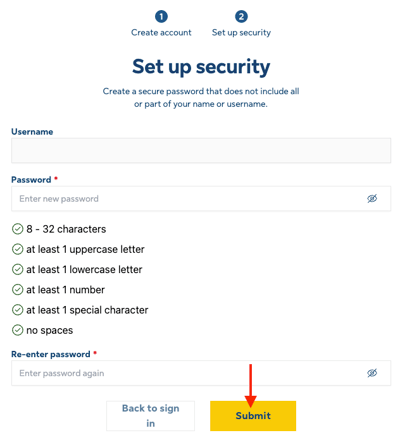
- Input password and click 'Submit.'
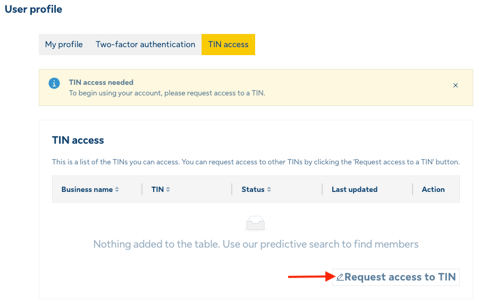
- Click 'Request access to TIN."
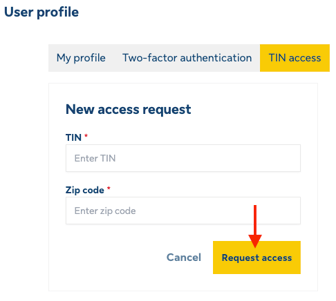
- Input the following fields and click 'Request Access.'
- Office's TIN Number
- Office's Zip Code
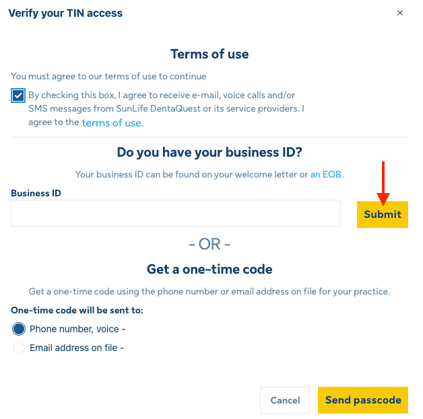
- On the next screen, complete the following and click 'Submit.'
- Agree to the terms and conditions box
- Input Business ID found on a recent Dentaquest EOB or send a one time code to the email address or phone number the office has on file.
Account creation is complete!
This resource was updated 01/19/2026.