
Set up Dentical 2FA: Step-by-Step
- Login to the Dentical portal.
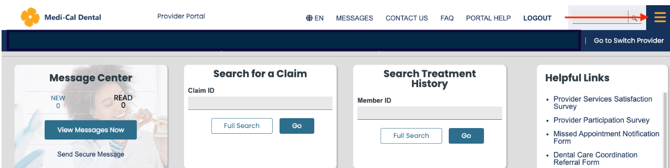
- Click on the hamburger menu in the top right-hand corner.
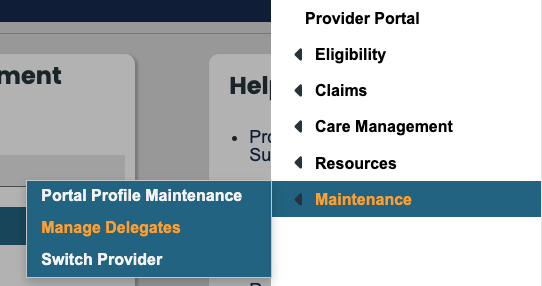
- Under 'Maintenance' select 'Manage Delegates.'
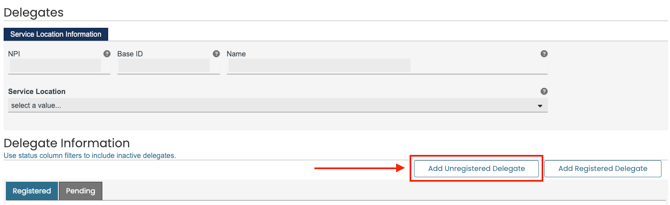
- Under Delegate Information, select 'Add Unregistered Delegate.'
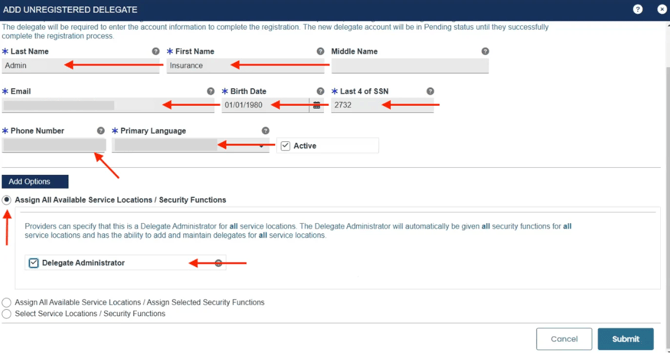
- Fill out the required fields using the below information and click 'Submit':
- Last Name: Admin
- First Name: Insurance
- Email: Zuub generated email address
- Birth Date: 01/01/1980
- Last 4 of SSN: 2732
- Phone Number: Office phone number
- Primary Language: English
- Under 'Add Options', select 'Assign All Available Service Locations / Security Functions' and check 'Delegate Administrator'
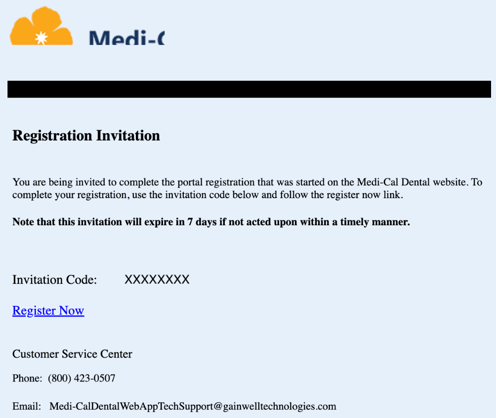
- Navigate to the email address to retrieve the account setup email. Select ‘Register Now.’
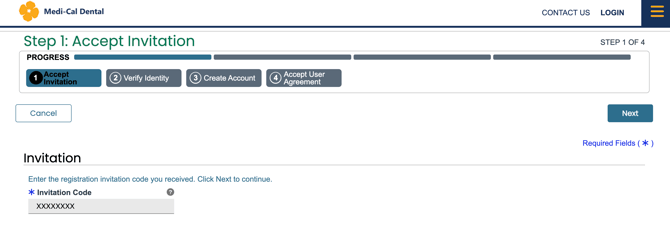
- Input the Invitation Code provided within the registration email and click ‘Next.’
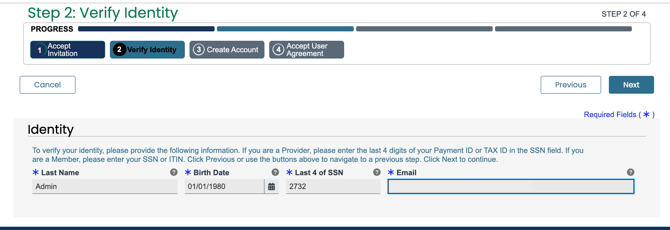
- Complete the following information and select ‘Next’:
- Last Name: Admin
- Birth Date: 01/01/1980
- Last 4 of SSN: 2732
- Email: Zuub generated email address
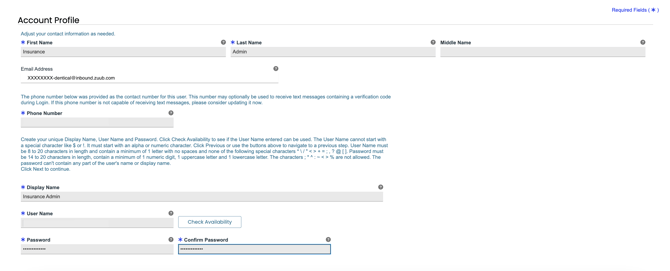
- Input the remainder of the information required for finalizing setup and click ‘Next.’
- First Name: Insurance
- Email address: Zuub generated email address
- Phone Number: Office phone number
- Display Name: Insurance Admin
- User Name:
- Password:
- Confirm Password:
- Agree to Terms of Service box
- Type 'Insurance Admin' in the box labeled ‘Type your full name here.’
- Click 'Submit.'
This resource was updated 11/17/2025.