
Set up Liberty Dental: Step-by-Step
- Sign into the Liberty Dental portal using the office's login credentials.
- Select 'Manage Users' from the navigation bar at the top.

- Select 'Add a User.'
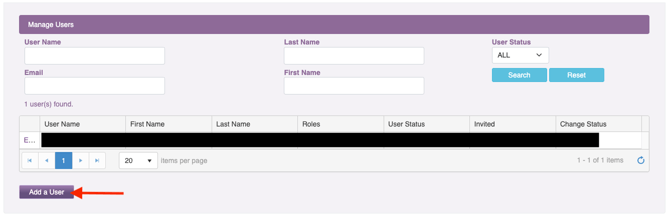
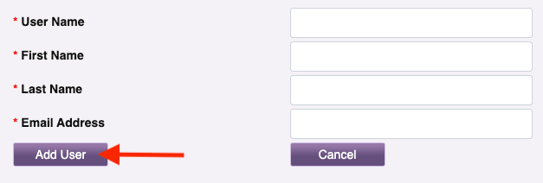
- Complete the required fields and select 'Add User':
- User Name:
- First Name: Insurance
- Last Name: Admin
- Email address: Zuub generated email address
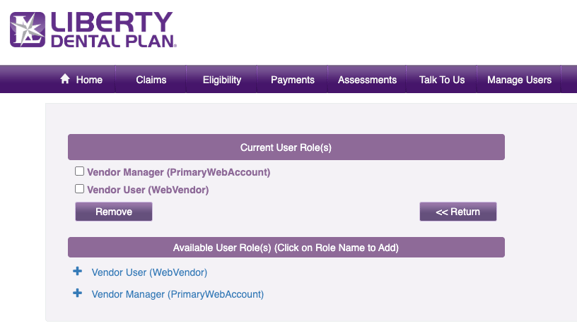
- Select the below user roles:
- Vendor Manager
- Vendor User
- Navigate to the email address and click the activation link found within the registration email.

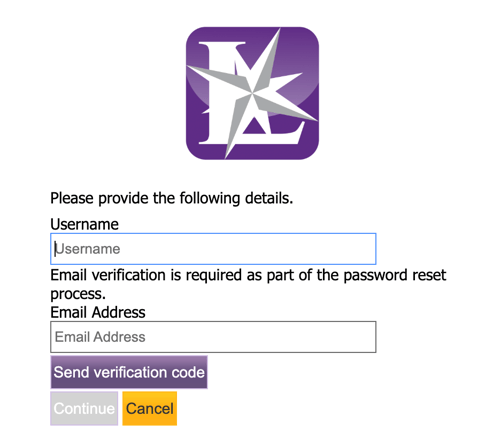
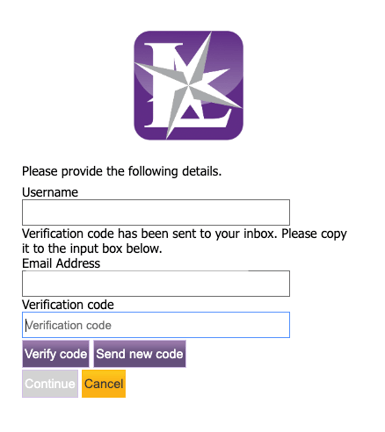
- Enter the username and email address, then select 'Send verification code.'
- Retrieve the code from the email. Enter it, then select 'Verify code.'
Account creation is complete!
This resource was updated 11/17/2025.