
Set-up Meritain Health 2FA: Step-by-Step
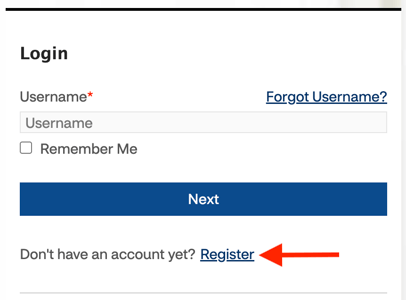
- Navigate to the Meritain Health portal and click ‘Register.’
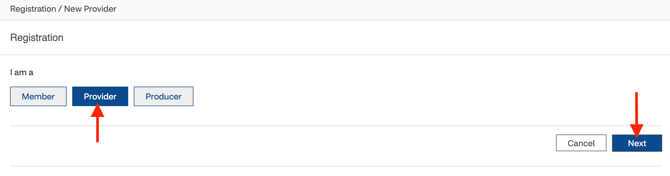
- Select 'Provider,' then click 'Next.'
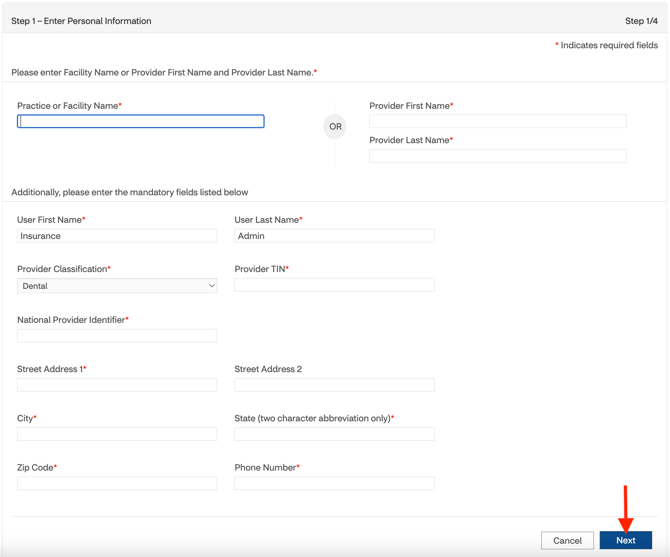
- Add the required information and click 'Next.'
- Practice Name or Provider Name: This needs to match what Meritain has on file
- User First Name: Insurance
- User Last Name: Admin
- Provider Classification: Dental
- Provider TIN: Office's tax ID
- National Provider Identifier: Office or provider's NPI
- Street Address 1: Office street address
- Street Address 2: Office street address
- City: Office's city
- State: Office's state
- Zip Code: Office's zip code
- Phone: Office's phone number
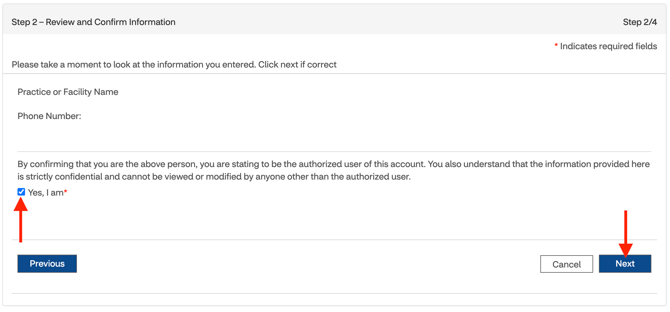
- Verify the information, accept the terms and conditions, and click 'Next.'
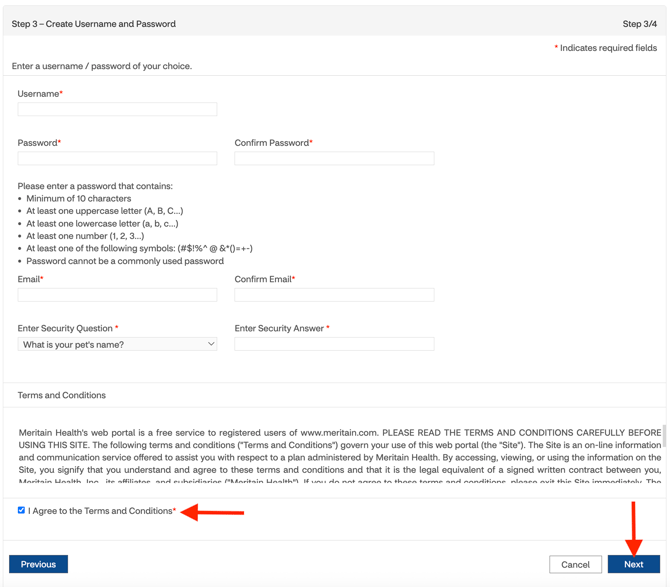
- Add the required information, accept the terms and conditions, and click 'Next.'
- Username:
- Password:
- Email: Zuub generated email address
- Confirm Email: Zuub generated email address
- Security question and answer
Account creation is complete!
This resource was updated 01/26/2026.