
Set-up Mutual of Omaha 2FA: Step-by-Step
1. Navigate to the Mutual of Omaha portal and sign in using your existing login credentials.
2. Within the navigation bar, select 'Setup' then select 'Portal User Accounts.'
3. Click '+ Add New User.'

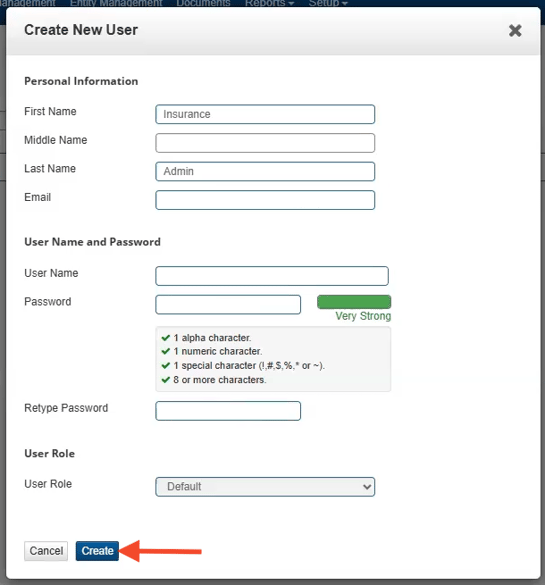
4. Fill out the required information with the below and click 'Create.'
-
- First Name: Insurance
- Last Name: Admin
- Email: Zuub generated email address
- User Name:
- Password:
- Retype Password: Same as above
- User Role: Default
Account creation is complete!
This resource was updated 11/12/2025.