
Set up Teamcare: Step-by-Step
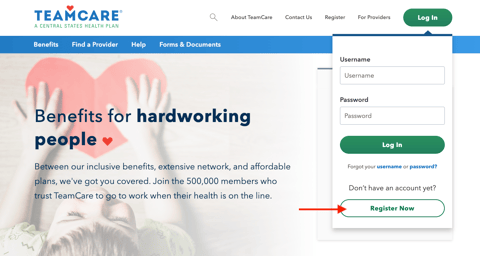
- Navigate to the Teamcare portal and select the ‘Log In’ button in the upper right corner. Click ‘Register Now.’
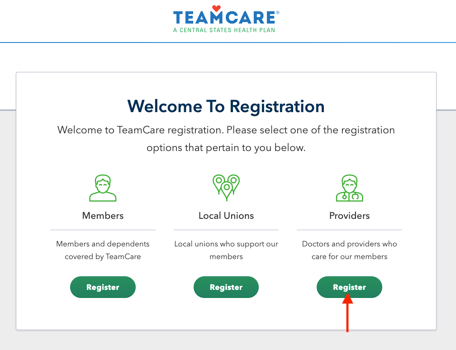
- Under the section labeled ‘Providers’, select ‘Register.’
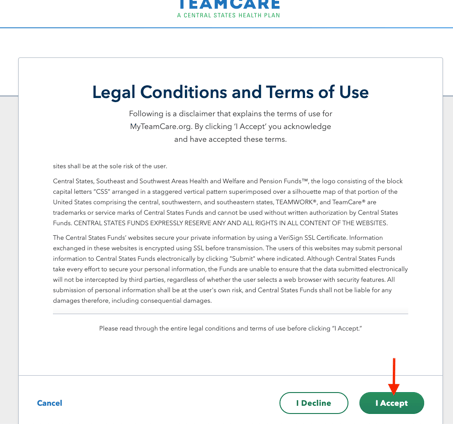
- Scroll through and accept the Terms and Conditions.
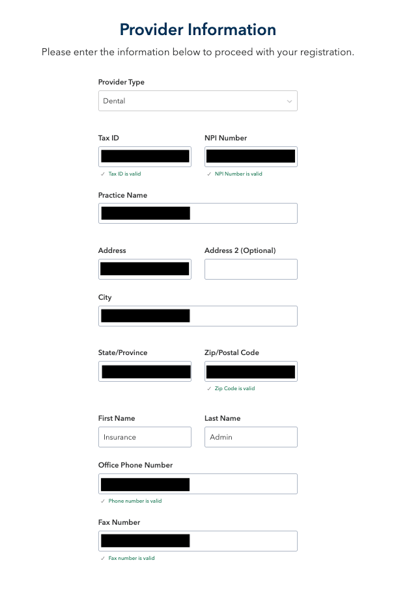
- Complete the following information and click 'Continue':
- Provider type: Dental
- Tax ID:
- NPI Number:
- Practice Name:
- Address
- City
- State
- Zip
- First Name: Insurance
- Last Name: Admin
- Office phone number
- Fax number: **if there is no fax, use the office phone number instead**
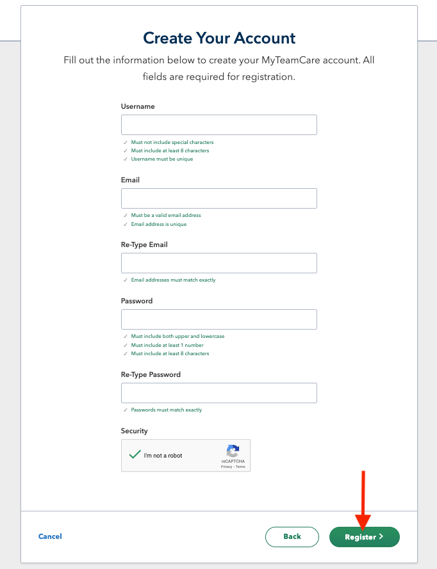
- Input the following information and click ‘Register':
- Username:
- Email: Zuub generated email
- Password:
- Confirm Password: Same as above
This resource was updated 11/12/2025.