
Set-up Lincoln 2FA: Step-by-Step
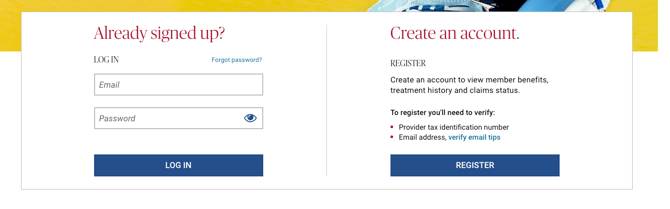
- Navigate to the Lincoln Financial portal. Under the 'Create an account' section, select ‘Register.’
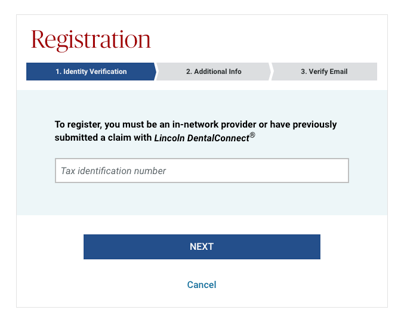
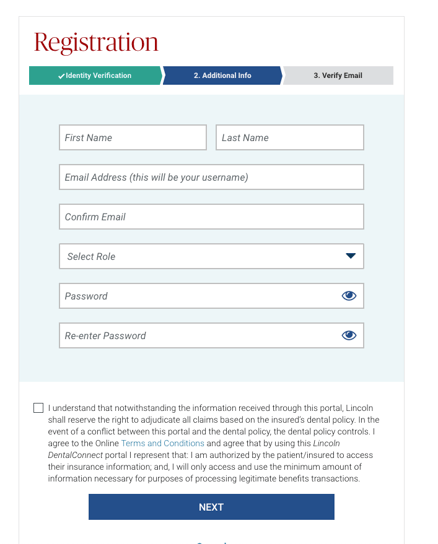
3. Input the below information:
a. First Name: Insurance
b. Last Name: Admin
c. Email Address: Zuub generated email address
d. Select Role: Office Manager
e. Password:
f. Agree to the terms and conditions box and click ‘Next’
4. Navigate to the email address and click the link in the registration email.
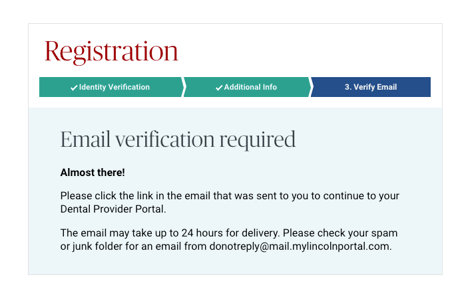
Account creation is complete!
This resource was updated 11/12/2025.