
Quick Links:
Set up DD of MA 2FA Using an Existing Account: Step-by-Step
Set up Delta Dental of Massachusetts 2FA by Registering a New Account: Step-by-Step
Set up DD of MA 2FA Using an Existing Account: Step-by-Step
- Inform Zuub you’d like to set up the Delta Dental of Massachusetts 2FA solution by reaching out to your designated Customer Success Manager. You can also email Zuub Support at support@zuub.com, or chat with us via the bottom right hand corner of your Zuub portal.
- Zuub will assign you credentials to use to add as a user in your existing Delta Dental of Massachusetts account.
- Sign into your Delta Dental of Massachusetts account.
- Under 'Practice Tools' select 'User Access'

- Click the 'Add User' button
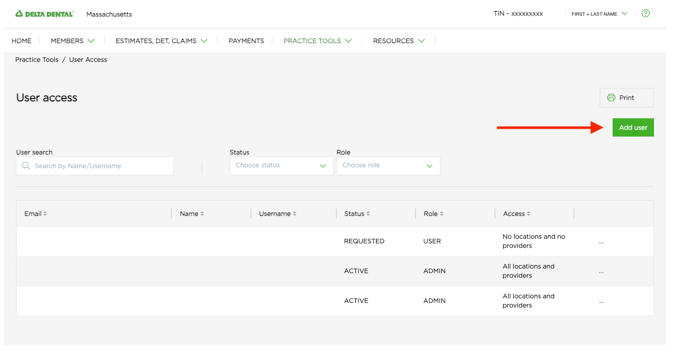 Note: Only Admin users can add new users. If you do not see the option to add users, please click here.
- Add the required information
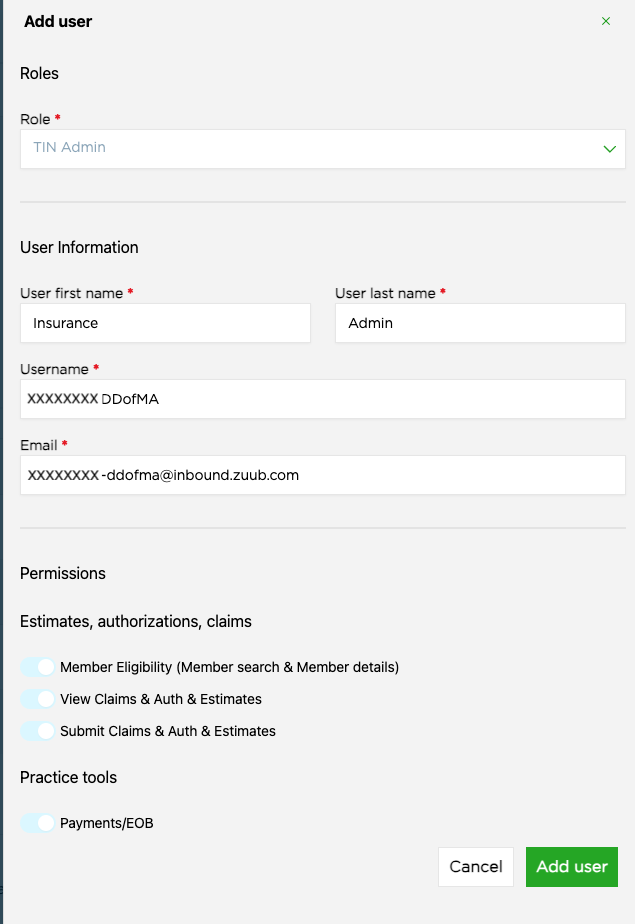
- Under 'Role' select TIN Admin
- Under 'User Information' input the Zuub-provided login credentials
- User First Name: Insurance
- User Last Name: Admin
- Username: Zuub-provided username
- Email: Zuub-provided email address
- Under 'Permissions' enable all options
- Click 'Add user' button
- Reach out to your Zuub support or Customer Success Manager and let them know you have completed the Delta Dental of Massachusetts setup. Our team will finish configuring your account and ensure Delta Dental of Massachusetts verifications are going through correctly. We will follow up once QA is completed.
Set up Delta Dental of Massachusetts 2FA by Registering a New Account: Step-by-Step
- Inform Zuub you’d like to set up the Delta Dental of Massachusetts 2FA solution by reaching out to your designated Customer Success Manager. You can also email Zuub Support at support@zuub.com, or chat with us via the bottom right hand corner of your Zuub portal.
- Provide Zuub with your office's:
- Tax ID
- Zip code
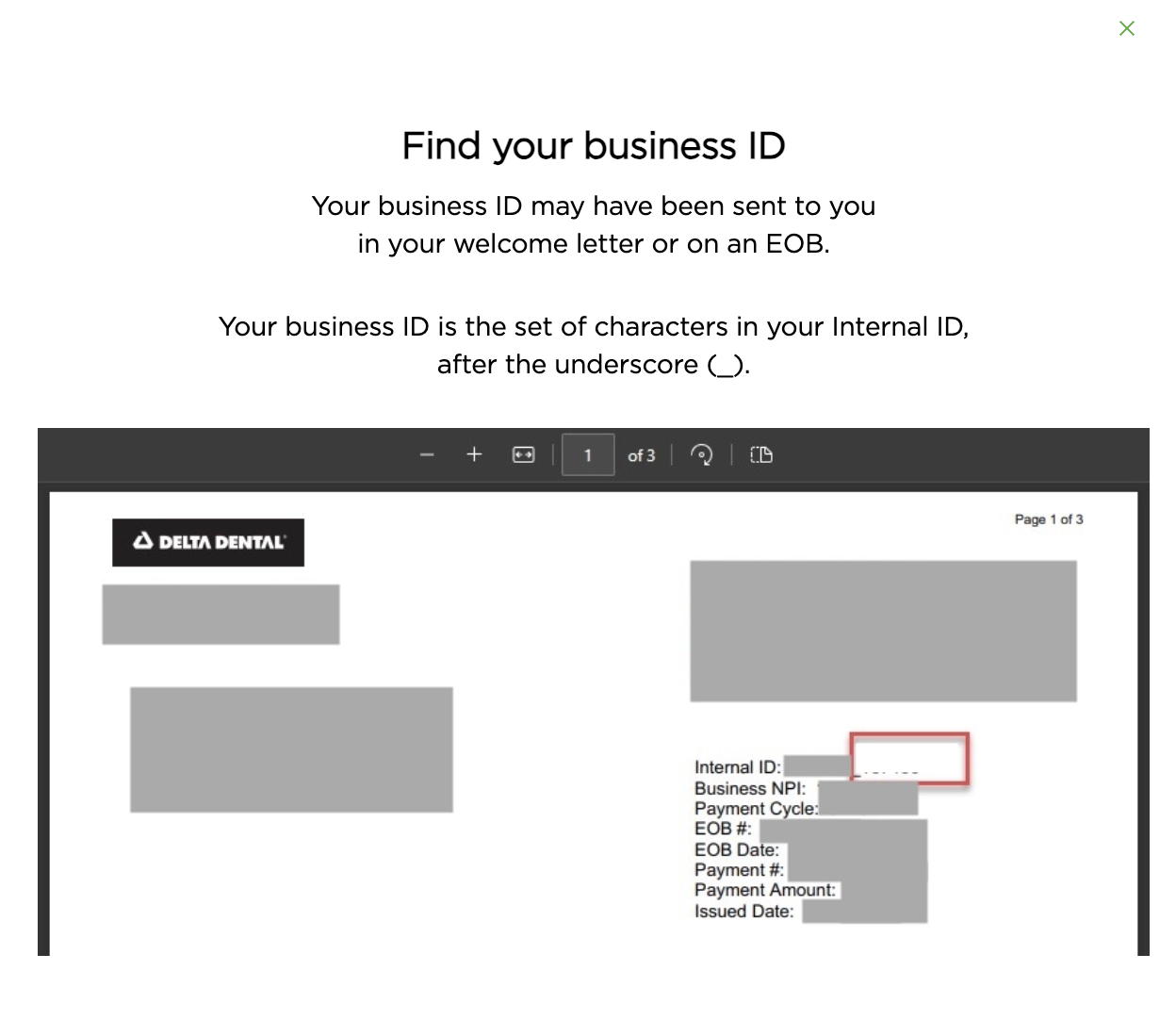
- Delta Dental of Massachusetts Business ID, which can be found on a recent Delta Dental of Massachusetts EOB
- Zuub will finish configuring the account and ensure Delta Dental of Massachusetts verifications are going through correctly. We will follow up once QA is completed.
This resource was updated 2/7/2025.